
A 4K drawing tablet can make fine linework, retouching, animation, and illustration feel more precise by combining a sharp display with direct pen input. The right model depends on more than resolution, though: screen size, color coverage, refresh rate, touch controls, and desk space all matter.
We compare 10 standout pen displays from Wacom, Huion, Xencelabs, XPPen, and GAOMON to help you choose a screen tablet that matches your workflow, budget, and creative priorities.
Best 10 Drawing Tablets with 4K Display Picks for 2026
Best All-Around 16-Inch Pick
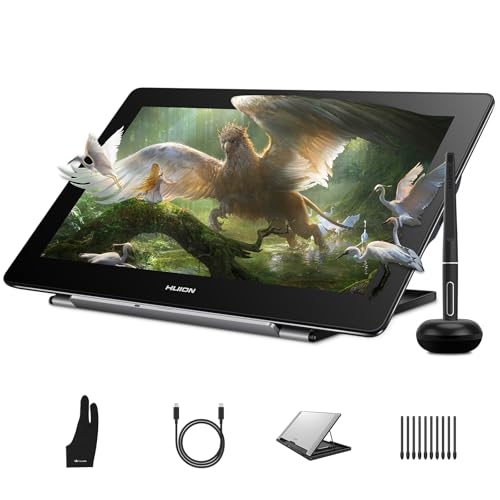
- 4K laminated 15.6-inch display
- 8,192-pressure-level battery-free pen
- Works with Windows, Mac, Linux, and supported Android devices
Best For: Compact 4K drawing workflows and flexible device compatibility
Best Premium Pro Setup

- 21.5-inch 4K touchscreen with 120Hz refresh
- Pro Pen 3 has adjustable controls and balance
- Includes touch gestures and eight ExpressKeys
Best For: Professional animation, VFX, game art, and 3D desktop studios
Best for Color-Critical Work

- 23.8-inch 4K display with 99.43% Adobe RGB coverage
- Includes two battery-free pens
- 40 programmable shortcuts plus physical dial
Best For: Color-focused illustration, animation, and design workflows
Best High-Refresh 4K Option
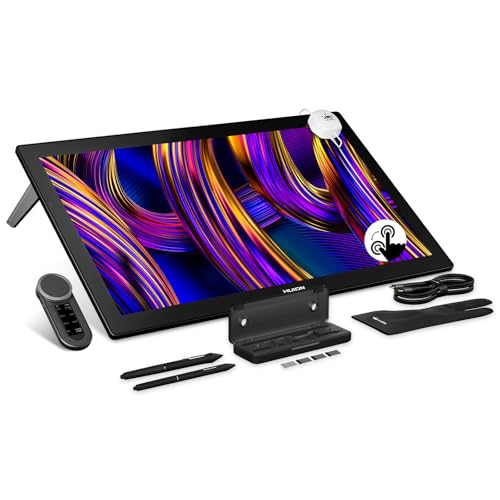
- 27-inch 4K display with 144Hz refresh
- Up to 98% Adobe RGB and ΔE<1 calibration
- PenTech 4.0 supports 16,384 pressure levels
Best For: Large-scale professional art, animation, and touch-enabled workflows
Professional Color Control

- 27-inch 4K, 120Hz display with 99% Adobe RGB and ΔE<1 accuracy.
- 16,384-level X3 Pro stylus with tilt support and felt nibs.
- Multi-touch, wireless shortcut keyboard, and broad OS compatibility.
Best For: Professional artists needing a large, color-accurate workspace.
Portable 4K Detail
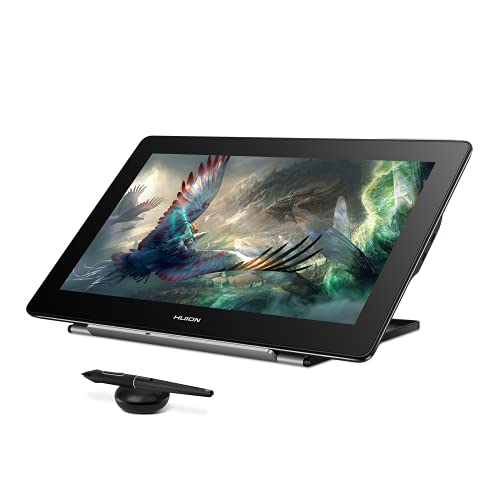
- 15.6-inch 4K UHD panel with 145% sRGB and Quantum Dot technology.
- Battery-free pen with 8,192 pressure levels and ±60-degree tilt.
- Full lamination, anti-glare glass, and Windows, Mac, Linux, and Android support.
Best For: Color-focused creators wanting a compact 4K pen display.
Workflow-Focused Workspace

- 23.8-inch 4K display with 99% Adobe RGB, 99% sRGB, and 98% P3 coverage.
- Two 16,384-level styluses with tilt support and varied pen designs.
- Wireless Keydial adds 40 customizable keys and a physical dial.
Best For: Desktop creators prioritizing color accuracy and shortcut control.
Large-Screen Color Pro

- 23.8-inch 4K UHD workspace
- 140% sRGB with HDR support
- Includes customizable Keydial Mini
Best For: Professional artists and multitasking creators
Balanced Pro Value

- 18.4-inch 4K UHD display
- 16,384-pressure battery-free pen
- Factory-calibrated ΔE<1.5 color
Best For: Students and creators seeking a balanced setup
Oversized Color-Control Canvas

- 27-inch 4K creative canvas
- sRGB, Adobe RGB, and DCI-P3 modes
- Hardware calibration with ΔE<1.5
Best For: Professional color-critical studio work
Best All-Around 16-Inch Pick – HUION Kamvas Pro 16 4K
For creators seeking drawing tablets with 4k display resolution without moving to a large studio monitor, the HUION Kamvas Pro 16 offers a practical balance of sharp detail, portability, and compatibility. Its fully laminated 15.6-inch screen, battery-free pen, and included stand suit illustration, retouching, and design work.
Best For: Students, hobbyists, and working artists who want a compact 4K pen display for Windows, Mac, Linux, or supported Android devices.
Pros:
- 4K UHD resolution with 120% sRGB coverage and 16.7 million colors.
- Fully laminated, anti-glare display helps reduce cursor gap and reflections.
- PW517 pen provides 8,192 pressure levels and ±0.3mm accuracy.
- Includes an adjustable 20°–80° stand and broad software compatibility.
Cons:
- It is a pen display that requires connection to a compatible computer or Android device.
- The 15.6-inch workspace may feel limited for users accustomed to large studio displays.
The Kamvas Pro 16 is a strong value-oriented choice when detailed 4K output and flexible device support matter more than a very large canvas or built-in standalone operation.
Best Premium Pro Setup – Wacom Cintiq Pro 22
The Wacom Cintiq Pro 22 is designed for professionals who want drawing tablets with 4k display clarity plus a spacious, responsive work surface. Its 21.5-inch 4K touchscreen combines 120Hz refresh with customizable controls for animation, VFX, game art, and 3D work.
Best For: Creative professionals and studios that need a large, color-accurate pen display with touch gestures and configurable workflow controls.
Pros:
- 4K UHD resolution and a 120Hz refresh rate support detailed, responsive work.
- Pro Pen 3 offers 8,192 pressure levels, three side switches, and adjustable balance.
- 10-point multi-touch, eight ExpressKeys, and on-screen menus support efficient navigation.
- Easy Stand provides adjustable positioning for a more comfortable setup.
Cons:
- At 11 pounds, it is less portable than smaller pen displays.
- Compatibility is listed for Windows and macOS rather than Linux or Android.
With its large workspace, high refresh rate, touch support, and customizable pen, the Cintiq Pro 22 is best suited to demanding desktop workflows where control and responsiveness justify a substantial setup.
Best for Color-Critical Work – Xencelabs Pen Display 24
For color-sensitive creators comparing drawing tablets with 4k display resolution, the Xencelabs Pen Display 24 stands out with broad gamut coverage, hardware calibration, and a generous 23.8-inch canvas. Its etched anti-glare surface and two battery-free pens are built for extended illustration, animation, and design sessions.
Best For: Illustrators, animators, and designers who prioritize Adobe RGB coverage, calibration options, and extensive shortcut customization.
Pros:
- 4K UHD IPS display covers 99.43% Adobe RGB and 96.11% DCI-P3.
- Supports hardware calibration with two internal calibration slots.
- Includes two battery-free pens with 8,192 pressure levels and tilt recognition.
- 40 programmable shortcut functions, a physical dial, and an OLED quick-key display improve workflow control.
Cons:
- Its 23.8-inch size requires more desk space than compact pen displays.
- The feature-rich shortcut system may be more than casual sketchers need.
The Pen Display 24 is a compelling choice for creators who need a large, calibrated 4K canvas and prefer dedicated physical controls for speeding up repetitive tasks.
Best High-Refresh 4K Option – HUION Kamvas Pro 27 144Hz
The HUION Kamvas Pro 27 targets creators who want drawing tablets with 4k display detail and unusually smooth motion. Its 27-inch 144Hz touchscreen pairs Quantum Dot color, hardware calibration, multi-touch, and updated PenTech 4.0 pens for demanding digital art and animation workflows.
Best For: Professional artists and animators who want a large 4K canvas, high refresh rate, touch interaction, and precise pen response.
Pros:
- 4K UHD display runs at 144Hz for smooth visual feedback.
- Color coverage reaches 99% sRGB, 98% Adobe RGB, and 98% DCI-P3, with ΔE<1 calibration.
- PenTech 4.0 pens provide 16,384 pressure levels, tilt support, and improved edge precision.
- Fully laminated nano-etched glass adds glare and fingerprint resistance, while multi-touch supports gestures.
Cons:
- The 27-inch display is a substantial, desk-intensive setup.
- Its advanced features may be excessive for basic sketching or occasional use.
The Kamvas Pro 27 is the most performance-focused option in this group, combining a spacious 4K workspace with 144Hz responsiveness and professional color specifications for complex creative projects.
Professional Color Control – XPPen Artist Pro 27 (Gen 2)
If you need drawing tablets with 4k display resolution for detailed illustration, animation, or image editing, the XPPen Artist Pro 27 (Gen 2) combines a large 27-inch workspace with a 120Hz refresh rate. Its Calman-certified color accuracy, full lamination, and anti-glare coating are geared toward demanding creative workflows.
Best For: Professional artists, animators, photographers, and designers who want a spacious, color-accurate pen display.
Pros:
- 27-inch 4K display with 99% Adobe RGB coverage and ΔE<1 color accuracy.
- X3 Pro stylus offers 16,384 pressure levels, tilt support, and a paper-like feel.
- Includes multi-touch controls, wireless shortcut keyboard, and ColorMaster calibration.
- Works with Windows, macOS, Android, ChromeOS, Linux, and major creative software.
Cons:
- Requires a compatible computer or other supported host device for creative work.
- The large 27-inch format may be more desk than casual users need.
This is a feature-rich choice when screen size, color consistency, and fast on-screen navigation matter more than portability. The included keyboard and calibration tool further support a professional workstation setup.
Portable 4K Detail – HUION Kamvas Pro 16 Plus 4K
The HUION Kamvas Pro 16 Plus 4K is a practical option among drawing tablets with 4k display resolution when you want high detail in a more compact 15.6-inch format. Its Quantum Dot panel, 145% sRGB gamut, etched glass, and full lamination support color-focused drawing and editing.
Best For: Artists, animators, designers, and editors who want a high-resolution pen display for a computer, laptop, or compatible Android device.
Pros:
- 15.6-inch 4K UHD display with 145% sRGB coverage and a 1200:1 contrast ratio.
- Full lamination, anti-glare glass, and a 178-degree viewing angle improve viewing comfort.
- Battery-free PW517 stylus provides 8,192 pressure levels and ±60-degree tilt recognition.
- Supports Windows, macOS, Linux, and compatible Android devices with flexible USB-C connectivity.
Cons:
- It is not standalone and must connect to a computer, laptop, or compatible Android device.
- Android compatibility depends on USB 3.1 and DisplayPort 1.2 support.
Choose this model if you value 4K clarity and strong color coverage without moving to a larger desktop display. The included cables, stand, pen holder, and replacement nibs make it well equipped for setup.
Workflow-Focused Workspace – XPPen Artist Pro 24 (Gen 2)
For creators comparing drawing tablets with 4k display resolution, the XPPen Artist Pro 24 (Gen 2) offers a spacious 23.8-inch canvas with professional color coverage and workflow controls. Its Calman-verified display, full lamination, dual styluses, and wireless Keydial are designed for extended desktop creation.
Best For: Photographers, designers, illustrators, and game or VR creators who need precise color and customizable controls.
Pros:
- 23.8-inch 4K display covers 99% Adobe RGB, 99% sRGB, and 98% P3 with ΔE<1 accuracy.
- Includes two X3 Pro styluses with 16,384 pressure levels and 60-degree tilt support.
- ACK05 wireless Keydial provides 40 customizable keys and a physical dial.
- AG/AF etched glass, full lamination, and included adjustable stand support long sessions.
Cons:
- Its large desktop format is less convenient for users who need portability.
- The optional ACS15 stand is not included.
This model stands out for creators who want both a generous 4K drawing surface and hardware shortcuts. Its wide color-space coverage and dual-pen bundle make it particularly suitable for color-sensitive, productivity-heavy work.
Large-Screen Color Pro – HUION KAMVAS Pro 24 4K
The HUION KAMVAS Pro 24 is a strong choice for artists seeking drawing tablets with 4k display resolution and a spacious desktop setup. Its 23.8-inch UHD screen, full lamination, anti-glare glass, and 140% sRGB color gamut are suited to detailed illustration, editing, and multitasking.
Best For: Professional artists, designers, video editors, and creators who want a large, color-rich workspace.
Pros:
- 23.8-inch 4K UHD display provides ample room for split-screen workflows.
- Quantum Dot technology, 140% sRGB, HDR, and 1.07 billion colors support vivid, nuanced visuals.
- Full lamination and anti-glare glass help provide precise tracking and a paper-like feel.
- Includes a customizable Keydial Mini and integrated 20° stand.
Cons:
- It is not a standalone tablet and requires a compatible computer or Android device.
- The large 23.8-inch format may be more desk than some users need.
Choose this model if screen area, color range, and workflow controls matter more than portability. HDMI, DisplayPort, and USB-C connectivity add flexibility for desktop and laptop setups.
Balanced Pro Value – GAOMON Pro 19 4K
The GAOMON Pro 19 offers a practical middle ground among drawing tablets with 4k display resolution. Its 18.4-inch laminated screen combines detailed UHD visuals, factory-calibrated color, and a battery-free 16K-pressure pen in a footprint designed to balance workspace and convenience.
Best For: Students, beginners, designers, illustrators, and creators who want strong specifications without an oversized display.
Pros:
- 4K UHD resolution, 99% sRGB coverage, 98% DCI-P3, and ΔE<1.5 support accurate-looking color.
- Battery-free pen offers 16,384 pressure levels, ±60° tilt, and 2g activation force.
- Adjustable 20°–80° stand and included cables simplify setup.
- Supports Windows, macOS, Ubuntu, Android, and major creative applications.
Cons:
- A single USB-C cable setup requires a compatible computer and separately sold USB-C-to-C cable.
- Like the other displays here, it is not a standalone computer.
The Pro 19 is a sensible pick when you want 4K detail and professional color features while keeping the screen smaller and potentially easier to accommodate than a 24- or 27-inch model.
Oversized Color-Control Canvas – HUION KAMVAS Pro 27 4K
The HUION KAMVAS Pro 27 is built for creators who want a very large canvas among drawing tablets with 4k display resolution. Its 27-inch screen supports multiple color spaces, hardware calibration, multi-touch gestures, and a laminated anti-glare surface for demanding illustration, design, photography, and video workflows.
Best For: Professional illustrators, photographers, motion designers, 3D artists, and color-focused studio workflows.
Pros:
- Expansive 27-inch 4K display reduces the need for frequent zooming and panning.
- Switchable sRGB, Adobe RGB, and DCI-P3 modes support varied production needs.
- Hardware calibration reports ΔE<1.5 and uses a standard 2.2 gamma value.
- Multi-touch gestures, full lamination, anti-glare treatment, and DC dimming support an efficient studio workflow.
Cons:
- Its oversized format requires substantial desk space.
- It is not standalone and must connect to a compatible computer or Android device.
- Mac users on specified macOS 14.5 systems may need the ActiveTrackPad tool for multi-touch.
This is the most feature-rich choice for users who can accommodate a 27-inch display and need broad color-space control. It is especially compelling for professional work where calibrated color and a large canvas are priorities.
How We Picked the Best Drawing Tablets with 4K Display
We evaluated these Drawing Tablets with 4K Display by focusing on the features that most affect everyday creative work: panel sharpness, color gamut, viewing quality, pen performance, refresh rate, shortcut controls, ergonomics, and overall fit for the intended user. We also considered the practical differences between compact 15.6-inch models and larger professional displays measuring roughly 19 to 27 inches.
Resolution alone does not determine drawing quality. A strong pen display should offer accurate tracking, dependable pressure sensitivity, low parallax, and a surface that feels controlled rather than slippery. Models with touch, programmable keys, or included control accessories can also improve efficiency, particularly for animation, photo editing, and long production sessions.
Quick Comparison
- Best for premium professional work: Wacom Cintiq Pro 22.
- Best for a large color-focused workspace: Xencelabs Pen Display 24.
- Best for high-refresh drawing: HUION KAMVAS Pro 27 or XPPen Artist Pro 27 Gen 2.
- Best compact option: HUION Kamvas Pro 16 4K or Kamvas Pro 16 Plus 4K.
- Best for shortcut-heavy workflows: XPPen Artist Pro 24 Gen 2 with Keydial.
- Best large-screen value candidates: GAOMON Pro 19 and HUION KAMVAS Pro 24.
Key Buying Factors for Drawing Tablets with 4K Display
Screen Size and Workspace
A 15.6-inch display is easier to fit into a small studio and is more portable, but large canvases and detailed timelines are generally more comfortable on 19- to 27-inch screens. Check your desk depth and viewing distance before choosing a larger model.
Color and Panel Quality
Illustrators, photographers, and designers should compare sRGB or Adobe RGB coverage, calibration claims, brightness, and viewing angles. Wider gamut can help with color-critical work, but it is most useful when your computer, software, and final output are managed consistently.
Pen, Refresh Rate, and Touch
Look for responsive tracking, high pressure sensitivity, low parallax, and a comfortable battery-free stylus where available. A 120Hz or 144Hz refresh rate can make strokes and navigation feel smoother, while touch is valuable for zooming, panning, and rotating a canvas without reaching for the keyboard.
Controls, Connectivity, and Ergonomics
Built-in shortcut keys, a dial controller, or an included remote can reduce repetitive keyboard commands. Also verify USB-C, HDMI, DisplayPort, and power requirements for your computer. A stable stand and adjustable viewing angle are important because large pen displays can become uncomfortable when positioned flat or too upright.
Who Should Buy Which Drawing Tablets with 4K Display?
Choose a compact Huion Kamvas Pro 16 model if you need 4K detail in a smaller workspace or want a more manageable second display. Choose a 24- or 27-inch model if you create detailed illustrations, animation, 3D work, or large-format designs and have room for a permanent setup. Choose Wacom or Xencelabs if refined pen performance, color confidence, and professional workflow features matter more than minimizing cost. Choose XPPen if you want a feature-rich display with high refresh rates or dedicated controls. Choose GAOMON or Huion when screen size and core drawing capability are priorities and you want to compare value-focused alternatives.