
Choosing the best desktop computer for architects means balancing processor speed, professional or gaming-class graphics, memory, storage, and upgradeability. CAD, BIM, visualization, and rendering workloads can stress different components, so the fastest-looking specification is not always the best fit.
We’ve selected 10 tower PCs spanning certified workstation hardware, modern Intel processors, NVIDIA RTX graphics, generous RAM, and practical storage configurations. Use the guide below to match your software, project scale, and budget with the right system.
Best 10 Desktop Computer for Architects Picks for 2026
Top-Tier Workstation
Lenovo ThinkStation P3 RTX 4000
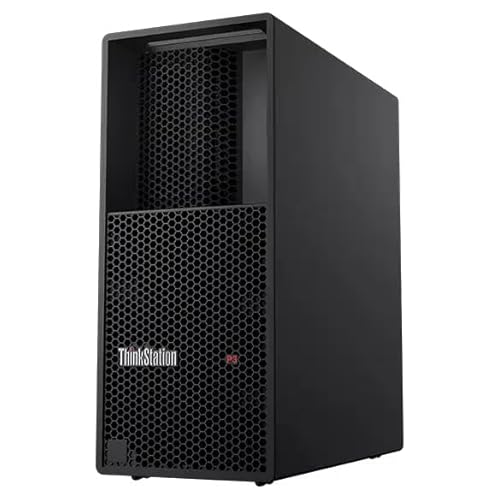
- Intel Core Ultra 9 285 vPro with 64GB DDR5
- NVIDIA RTX 4000 Ada with 20GB GDDR6
- 1TB PCIe Gen4 SSD and Windows 11 Pro
Best For: Complex 3D design, rendering, and professional architecture workflows
Business Productivity Pick
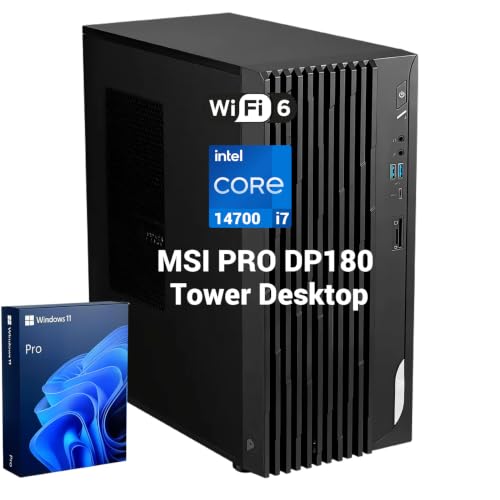
- 20-core Intel Core i7-14700 processor
- 32GB DDR5 and support for up to 8K output
- Extensive ports for multi-display office setups
Best For: Architectural documentation, analysis, and business multitasking
Expandable Professional Choice

- Core Ultra 9 285 vPro and 64GB DDR5-5600
- Dedicated NVIDIA RTX 2000 graphics
- Memory expansion listed up to 256GB
Best For: Growing architecture practices needing an upgradeable workstation
Storage-Friendly Value

- Quadro K1200 4GB dedicated workstation GPU
- 32GB DDR4 with 1TB SSD and 4TB HDD
- Windows 11 Pro with broad connectivity
Best For: Entry-level CAD, design, and storage-heavy home-office workflows
Professional Workstation Pick

- Core Ultra 9 processor with up to 5.40GHz P-core speeds
- 64GB DDR5 RAM and 2TB PCIe Gen4 SSD
- NVIDIA RTX 2000 Ada graphics with 16GB GDDR6
Best For: Demanding architectural design and visualization workflows
Flexible Office Pick
Dell Tower Desktop Core Ultra 7

- Intel Core Ultra 7 processor with built-in AI capabilities
- 32GB DDR5 RAM for multitasking
- Supports multiple FHD or 4K monitor configurations
Best For: General architecture-office productivity and multi-monitor work
Multi-Display Business Pick
Dell Pro Tower Plus Core Ultra 7
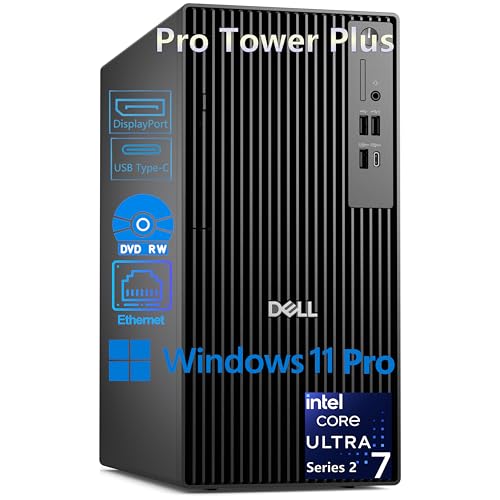
- 20-core Core Ultra 7 processor with 13 TOPS NPU
- Supports up to three simultaneous 4K displays
- Windows 11 Pro and 1TB NVMe SSD
Best For: Multi-monitor architectural offices with wired connectivity
Best Business Workhorse

- 20-core Intel i7-14700 processor
- Up to 64GB DDR5 and 4TB SSD
- Windows 11 Pro with dual-monitor support
Best For: CPU-focused architecture and office workflows
Best for 3D Visualization

- Dedicated RTX 4060 with 8GB GDDR6
- 20-core Intel Core Ultra 7 processor
- 32GB DDR5 RAM and 1TB NVMe SSD
Best For: GPU-accelerated design and visualization work
Best Dual-Monitor Value

- 12-core i7-12700K processor
- 32GB DDR5 RAM and 1TB PCIe SSD
- Dual 4K monitor support via HDMI and DisplayPort
Best For: Multi-display architecture productivity
Top-Tier Workstation – Lenovo ThinkStation P3 RTX 4000
For architects who need a powerful desktop computer for architects, the Lenovo ThinkStation P3 Tower combines an Intel Core Ultra 9 285 vPro processor, 64GB of DDR5 memory, and professional NVIDIA RTX 4000 Ada graphics with 20GB of GDDR6 memory. Its 1TB PCIe Gen4 SSD is suited to demanding design, visualization, and multitasking workflows.
Best For: Architecture professionals handling complex 3D design, rendering, technical documentation, and large project files.
Pros:
- 20GB NVIDIA RTX 4000 Ada professional graphics card.
- 64GB DDR5 memory and a 24-core Intel Core Ultra 9 processor.
- Fast 1TB PCIe Gen4 SSD and Windows 11 Pro.
- Includes a one-year Lenovo warranty.
Cons:
- Large and heavy tower at approximately 30 pounds.
- Only 1TB of listed SSD storage may be limiting for large project archives.
This is the strongest graphics-focused option in the roundup, making it a compelling choice when professional GPU performance matters more than a compact footprint or entry-level price.
Business Productivity Pick – MSI PRO DP180 i7 Tower
The MSI PRO DP180 is a practical desktop computer for architects who prioritize processor performance, office connectivity, and multi-display productivity. Its 20-core Intel Core i7-14700 and 32GB of DDR5 memory are well suited to multitasking, while HDMI, DisplayPort, and VGA outputs support varied monitor setups.
Best For: Architectural offices focused on documentation, analysis, business applications, and multi-screen workflows.
Pros:
- 20-core Intel Core i7-14700 processor with speeds up to 5.4GHz.
- 32GB DDR5 memory for demanding multitasking.
- Supports up to 8K output and multi-display setups.
- Broad connectivity, including USB-C, HDMI 2.1, DisplayPort, VGA, and dual wired LAN.
Cons:
- Uses integrated Intel UHD Graphics rather than a dedicated workstation GPU.
- 32GB memory can be expanded only to the listed 64GB maximum.
The DP180 is better suited to general architectural productivity than GPU-heavy visualization. It makes sense for firms that need a capable CPU and extensive I/O but do not require dedicated graphics.
Expandable Professional Choice – ThinkStation P3 RTX 2000
The Lenovo ThinkStation P3 Tower offers a balanced desktop computer for architects with an Intel Core Ultra 9 285 vPro processor, 64GB of DDR5-5600 memory, a 1TB SSD, and discrete NVIDIA RTX 2000 graphics. Its workstation-oriented security features and expandable memory capacity add flexibility for professional environments.
Best For: Architecture practices that need dedicated graphics, strong multitasking performance, and room to expand memory over time.
Pros:
- Intel Core Ultra 9 285 vPro processor with integrated NPU capabilities.
- 64GB DDR5-5600 memory with listed support up to 256GB.
- Dedicated NVIDIA RTX 2000 graphics for professional workloads.
- Includes TPM, Intel hardware security features, and a one-year Lenovo onsite warranty.
Cons:
- RTX 2000 graphics are less capable than the RTX 4000 Ada option in this roundup.
- Listed storage is limited to 1TB before adding external or expanded storage.
With a strong CPU, professional GPU, and unusually generous memory upgrade headroom, this ThinkStation is a well-rounded workstation for growing architecture teams.
Storage-Friendly Value – Renewed HP Workstation K1200
This renewed HP workstation is a budget-conscious desktop computer for architects working with CAD, 3D design, editing, and general creative applications. It pairs an Intel Core i5-8500 with 32GB of DDR4 memory, a Quadro K1200 4GB GPU, a 1TB SSD, and a 4TB HDD for a large combined storage setup.
Best For: Students, home offices, and entry-level design workflows that benefit from abundant storage and certified software compatibility.
Pros:
- Dedicated NVIDIA Quadro K1200 graphics designed for workstation applications.
- 32GB RAM supports substantial multitasking.
- Combines a 1TB SSD with a 4TB HDD for boot speed and archive capacity.
- Includes Windows 11 Pro, Wi-Fi, Bluetooth, and numerous legacy and modern ports.
Cons:
- Older eighth-generation Core i5 platform and DDR4 memory.
- Quadro K1200 has only 4GB of graphics memory.
- Renewed condition and a listed 90-day extended warranty provide less coverage than the new Lenovo systems.
The HP stands out for storage capacity and lower-tier workstation software support, but its older hardware makes it less suitable for demanding contemporary rendering or complex real-time visualization.
Professional Workstation Pick – Lenovo ThinkStation P3 Tower
For architects who need a capable desktop computer for architects, the Lenovo ThinkStation P3 Tower combines a high-end Intel Core Ultra 9 processor, 64GB of DDR5 memory, a 2TB PCIe Gen4 SSD, and dedicated NVIDIA RTX graphics. It is a strong fit for demanding professional workflows where application responsiveness and GPU capability matter.
Best For: Architects and design professionals working with demanding 3D, CAD, visualization, and multitasking workloads.
Pros:
- Intel Core Ultra 9 285 vPro processor with up to 5.40GHz P-core speeds.
- 64GB DDR5 RAM and a fast 2TB PCIe Gen4 SSD provide substantial working capacity.
- Dedicated NVIDIA RTX 2000 Ada graphics with 16GB GDDR6 memory.
- Windows 11 Pro and a tower design support professional workstation use.
Cons:
- At approximately 30 pounds, it is less portable than a compact desktop.
- The included one-year warranty is relatively limited for a professional workstation.
With its dedicated RTX graphics, generous memory, and large SSD, the ThinkStation P3 is the most workstation-oriented option in this group. It is especially compelling when architectural software or visualization tasks benefit from a professional GPU.
Flexible Office Pick – Dell Tower Desktop Core Ultra 7
The Dell Tower Desktop is a practical desktop computer for architects who prioritize everyday productivity, office tasks, and a flexible multi-monitor setup. Its Intel Core Ultra 7 processor, 32GB of DDR5 memory, and SSD storage provide a solid foundation for general design-office work, while the tool-less case makes future upgrades easier.
Best For: Architecture students, office users, and professionals handling productivity, education, multimedia, and lighter design workloads.
Pros:
- Intel Core Ultra 7 processor includes built-in AI capabilities.
- 32GB DDR5 RAM supports multitasking across office and creative applications.
- Supports up to four FHD monitors or two 4K displays using the listed outputs.
- Tool-less entry and a removable side panel simplify internal upgrades.
Cons:
- Integrated Intel UHD Graphics is less suited to intensive 3D rendering than a dedicated GPU.
- Windows 11 Home may offer fewer professional management features than Windows 11 Pro.
This Dell is best viewed as a versatile productivity tower rather than a specialized rendering workstation. Its memory capacity, monitor support, and accessible chassis make it a sensible choice for general architectural office work and upgrade-minded buyers.
Multi-Display Business Pick – Dell Pro Tower Plus Core Ultra 7
The Dell Pro Tower Plus is a business-focused desktop computer for architects who value a professional operating system, strong connectivity, and a multi-screen workspace. Its Core Ultra 7 processor supports up to 5.3GHz turbo speeds, while three DisplayPort outputs can drive up to three 4K displays from the integrated graphics.
Best For: Architects and technical professionals who rely on multiple 4K monitors, wired networking, and business-oriented Windows features.
Pros:
- 20-core Intel Core Ultra 7 265 processor with a 13 TOPS NPU.
- Supports up to three simultaneous 4K displays through three DisplayPort outputs.
- Windows 11 Pro includes features such as BitLocker, Remote Desktop, and Hyper-V.
- Includes a 1TB NVMe SSD, USB-C ports, and a DVD-RW drive.
Cons:
- 16GB RAM is less generous than the memory capacity in the Lenovo workstation.
- No built-in Wi-Fi; networking relies on Gigabit Ethernet or an added adapter.
- No HDMI port, so displays must use DisplayPort connections or adapters.
This model suits organized, desk-based workflows where several displays and business-management features are priorities. For heavier 3D work, its integrated graphics and 16GB RAM may be less suitable than a workstation with dedicated graphics.
Best Business Workhorse – Next-Gen Optiplex i7-14700
If you need a desktop computer for architects that can manage demanding multitasking, large project files, and everyday business software, this customized Optiplex is a practical option. Its 14th Gen Intel Core i7 processor, DDR5 memory, and PCIe SSD provide a responsive foundation, while integrated graphics make it better suited to productivity and lighter creative work than graphics-intensive 3D workflows.
Best For: Architects who prioritize CPU performance, abundant memory and storage options, quiet operation, and business-focused Windows 11 Pro features.
Pros:
- Intel Core i7-14700 offers 20 cores, 28 threads, and turbo speeds up to 5.4 GHz.
- Supports up to 64GB of DDR5 memory and up to a 4TB PCIe M.2 SSD.
- Includes broad connectivity, Wi-Fi 6, Bluetooth, dual-monitor support, and Windows 11 Pro.
Cons:
- Integrated Intel UHD Graphics 770 is not designed for demanding GPU-heavy rendering.
- Configuration details may vary because memory and storage are offered in multiple capacities.
This system is a strong fit for architecture offices that need fast application switching, large-file handling, and a dependable business tower. Choose a dedicated-GPU model instead if your workflow depends heavily on real-time visualization or intensive 3D rendering.
Best for 3D Visualization – Dell Tower with RTX 4060
For architects who need a desktop computer for architects with dedicated graphics, this Dell tower is the most visualization-ready option in the lineup. The NVIDIA GeForce RTX 4060 with 8GB of GDDR6 memory is paired with a 20-core Intel Core Ultra 7 processor, 32GB of DDR5 RAM, and a 1TB NVMe SSD for responsive modeling, content creation, and multitasking.
Best For: Architects and designers who need dedicated GPU capability for visual work, content creation, and demanding graphics applications.
Pros:
- Dedicated NVIDIA GeForce RTX 4060 graphics with 8GB of GDDR6 memory.
- 20-core Intel Core Ultra 7-265F processor and 32GB DDR5 RAM support heavy multitasking.
- 1TB NVMe SSD, Wi-Fi 6, eight USB ports, and three PCIe expansion slots.
Cons:
- Includes Windows 11 Home rather than Windows 11 Pro.
- Offers less listed storage than the expandable configurations of some competing models.
The RTX 4060 makes this the clearest choice for architecture users who value dedicated graphics and smoother visualization work. Its 32GB memory and 1TB SSD are well balanced for getting started, though users with extensive project libraries may eventually want additional storage.
Best Dual-Monitor Value – Dell Tower i7-12700K
This Dell tower is a practical desktop computer for architects who want strong everyday performance and a straightforward dual-display setup. Its Intel Core i7-12700K, 32GB of DDR5 RAM, 1TB PCIe SSD, and HDMI and DisplayPort outputs support productive multitasking across design applications, documentation, references, and office tools.
Best For: Architects who want Windows 11 Pro, wired peripherals, dual 4K monitor support, and balanced productivity performance.
Pros:
- Intel Core i7-12700K provides 12 cores, 20 threads, and speeds up to 5.0 GHz.
- 32GB DDR5 RAM and a 1TB PCIe SSD offer a capable starting configuration.
- Supports dual 4K monitors and includes Wi-Fi, Bluetooth, USB-C, keyboard, and mouse.
Cons:
- Integrated Intel UHD Graphics 770 is less suitable for intensive GPU-based rendering.
- Listed maximum memory is 32GB, limiting future RAM expansion compared with some alternatives.
This model offers a sensible balance for architecture students, small studios, and office-based workflows that benefit from two high-resolution displays. It is less compelling for users whose primary priority is dedicated graphics performance, but it covers core productivity needs with useful connectivity and Windows 11 Pro.
How We Picked the Best Desktop Computer for Architects
We focused on systems with the performance and expandability needed for architectural workflows, including CAD drafting, BIM coordination, 3D modeling, rendering, image editing, and multitasking. Our shortlist considers processor generation and core count, dedicated GPU capability, RAM capacity, SSD storage, operating system, upgrade potential, and the advantages of workstation-class components.
Professional NVIDIA RTX and Quadro options can be particularly valuable for applications that benefit from certified drivers, while mainstream RTX graphics may deliver stronger value for real-time visualization and rendering. We also included business towers that can serve architects who primarily need responsive 2D and moderate 3D performance.
Quick Comparison
- Best for demanding professional workflows: Lenovo ThinkStation P3 configurations with Ultra 9 processors and RTX Ada graphics.
- Best for balanced office and design work: Dell and MSI towers with modern Core Ultra or Core i7 processors.
- Best for 3D visualization on a budget: The Dell ECT1250 with an RTX 4060 and 32GB of RAM.
- Best for storage-heavy projects: Systems offering 2TB SSD storage or combinations of SSD and hard-drive capacity.
- Best for legacy or lighter CAD workloads: The HP workstation with a Quadro K1200, 32GB RAM, and mixed SSD/HDD storage.
Key Buying Factors for a Desktop Computer for Architects
Processor
CPU speed affects drawing operations, model management, exports, and many BIM tasks. High-core-count processors are useful for rendering and other parallel workloads, but strong single-core performance remains important for interactive CAD work. Intel Ultra 7, Ultra 9, and Core i7 systems offer a strong starting point for demanding projects.
Graphics Card
A dedicated GPU is important for 3D navigation, shaded views, real-time rendering, and large models. NVIDIA RTX Ada cards add professional features and workstation positioning, while an RTX 4060 can be a cost-effective choice for visualization. Check your software’s recommended and certified GPU list before buying.
Memory and Storage
Choose at least 32GB of RAM for serious architectural work; 64GB is preferable for large BIM files, rendering, virtual machines, and heavy multitasking. An NVMe SSD keeps applications and projects responsive. A 1TB drive may be adequate for active work, while 2TB or additional HDD capacity helps users managing large asset libraries.
Expandability and Displays
A tower with accessible DIMM slots, spare drive bays, and sufficient power capacity can remain useful longer than a sealed desktop. Confirm the available video outputs and whether the system supports your monitor setup, including dual 4K displays. Also check physical dimensions, noise, warranty coverage, and Windows edition.
Who Should Buy Which Desktop Computer for Architects?
Architects handling large BIM models, complex assemblies, or frequent rendering should prioritize the Lenovo ThinkStation P3 models with 64GB of RAM and RTX Ada graphics. Select the RTX 4000 version for heavier visualization and GPU workloads, or the RTX 2000 version when value and efficiency matter more.
Small practices and general design teams can choose a modern Dell, MSI, or customized business tower with a Core Ultra 7 or Core i7 processor and 32GB or more RAM. These systems suit office applications, 2D CAD, documentation, and moderate 3D work.
Visualization-focused users on a tighter budget should consider the Dell tower with an RTX 4060. Storage-heavy users may prefer a 2TB SSD or SSD-plus-HDD configuration. Before ordering, verify software certification, upgrade options, GPU outputs, and the seller’s exact RAM and storage configuration.